Support
How to play
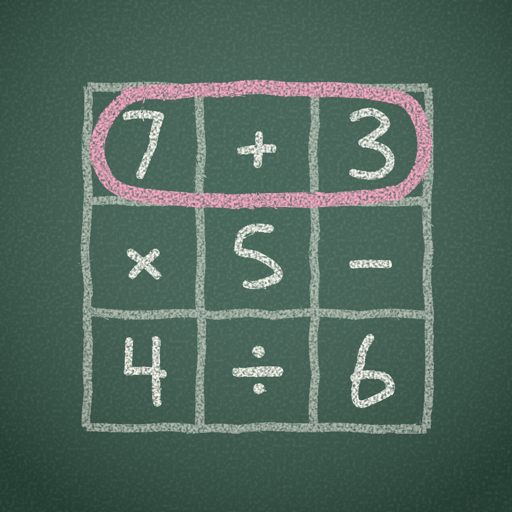
- Find lines of squares that make the target number. Lines run across, down or diagonally, in either direction.
- Drag from the first square of a line to the last. The bar above the grid shows the expression, and when you let go, its value, with a tick when it hits the target.
- Digits next to each other make one number: 1 then 2 is 12.
- Every answer needs at least one sign. × and ÷ are worked out before + and −, and divisions have to come out exactly.
- Find every answer to finish the round. The answer list under the grid shows how many are left.
The same rules are in the app: tap ☰ (top right), then How to Play.
Common questions
How do hints work?
Tap Hint to see the first character of the shortest answer you haven't found. Tap it again to see where that answer starts on the grid.
How do I get three stars?
Finish a round without hints for three stars. One hint gives two stars, and more than one gives one. You can replay any round you've reached from Chapters to try for more.
What do Easy, Medium and Hard change?
They change the answer list under the grid. Easy shows every answer as dots, one per square. Medium shows the answers you've found and how many there are. Hard shows only the answers you've found. Choose in ☰ → Difficulty.
How do I unlock all the rounds?
The first 30 rounds (chapters 1 to 3) are free. To unlock the rest, tap ☰ → Unlock All Rounds, or Unlock all rounds on the Chapters screen. It's a one-time purchase: there's no subscription, and rounds added in later updates are included.
Why does it ask me to type a number?
That's the parental gate. Before any purchase, the app shows a number written in words (like "four thousand, two hundred and six") for a grown-up to type as digits (4206). It keeps young players from buying by accident.
I bought it before. How do I get it back?
On a new device, or after reinstalling, open the unlock page (☰ → Unlock All Rounds) and tap Restore purchase. Make sure you're signed in with the Apple Account (or on Android, the Google account) you bought it with.
Can my family share the purchase?
Yes. With Family Sharing turned on, one purchase unlocks the game for everyone in your family group. Each person may need to tap Restore purchase once.
Where is my progress saved? Can I start over?
Your rounds, stars and settings are saved on your device only. Deleting the app deletes them, though a purchase can always be restored. To go back to round 1, tap ☰ → New Game.
How do I turn the sounds off?
Tap ☰ and switch off Sound Effects. On iPhone, the game's sounds also follow the silent switch. They play alongside your music without stopping it.
How do I get a refund?
Purchases are handled by the store. On iPhone, request a refund at reportaproblem.apple.com. On Android, use Google Play's refund request.
Contact us
Found a bug, have an idea for the game, or need help? Email support@savisolutions.com. Please tell us your device and what happened, and we'll get back to you.